📝 Building Your Digital Skills
Mid-Term Assessment
Show what you have learned so far about hardware, software, files, folders, email and online safety.
📋 Today’s Activities
- Complete the quick quiz.
- Download the Hardware & Software Recap.
- Complete the Mid-Term Assessment.
- Complete the Extension Challenge if you finish early.
- Email your work to your tutor.
🧠 Quick Quiz Recap
1. Which is hardware?
2. Which is software?
3. Why do we use folders?
4. What does CC mean?
5. What should a good email subject include?
6. Which password is strongest?
7. What should you do with a suspicious email?
8. What does HTTPS mean?
💻 Step 2 – Hardware & Software Recap
Download the worksheet and complete the recap activity.
📄 Download Recap Activity📝 Step 3 – Main Assessment
This is your Mid-Term Assessment. Complete all tasks carefully, save your work and email it to your tutor.
📥 Before You Begin
- Download all three files below.
- Open your Downloads folder.
- Check that all three files are visible.
- Leave the files in the Downloads folder.
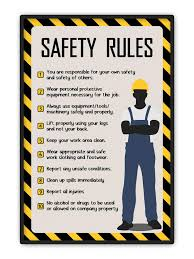
✅ Checklist
- Assessment PDF downloaded
- SafetyTips.txt downloaded
- SafetyPoster.jpg downloaded
- All three files visible in Downloads
- Complete all assessment tasks
- Save your work
- Email your completed assessment
🌟 Step 4 – Extension Challenge
Become a Course Designer and create a poster advertising the Essential Digital Skills course.
📄 Download Extension Challenge📧 Step 5 – Email Your Work
- Open your email.
- Create a new message.
- Subject: Week 5 Assessment
- Attach your completed files.
- Send to your tutor.